Physical Address
304 North Cardinal St.
Dorchester Center, MA 02124
Physical Address
304 North Cardinal St.
Dorchester Center, MA 02124


If you’re someone like me who tends to lose things—your wallet falling beneath couch cushions, your keys somehow disappearing from your purse, or even not remembering where you put your backpack—then Apple’s AirTags are truly a godsend. These tiny, button-sized tracking tools are meant to assist you in keeping tabs on anything significant that might be yours.
By leveraging Apple’s massive Find My network, these tags emit secure Bluetooth signals that are picked up by surrounding Apple devices and communicated back to your Find My app, enabling you to locate your items even when they are miles apart. Picture leaving your bag at a coffee shop on the other side of town and being able to find it with a few taps on your iPhone—it’s not only convenient, it’s a peace of mind.
That’s precisely why it is not only intelligent to learn how to use AirTags, but also a kind of digital empowerment.
The magic behind AirTags is Apple’s strong ecosystem. AirTags are compatible with the “Find My” network—a secure, anonymous network of millions of Apple devices that are spread around the world. So even if your AirTag is not within range of your phone, it will still keep track using someone else’s Apple device that just happens to be in the vicinity. And the good news? The whole process is encrypted, so your privacy is guaranteed to be respected.
AirTags also have a speaker built in, so it is simple to find your items with a chime. What most impressed me is the smoothness and speed of tracking when you are near to your item—such as a virtual game of hot and cold that succeeds.
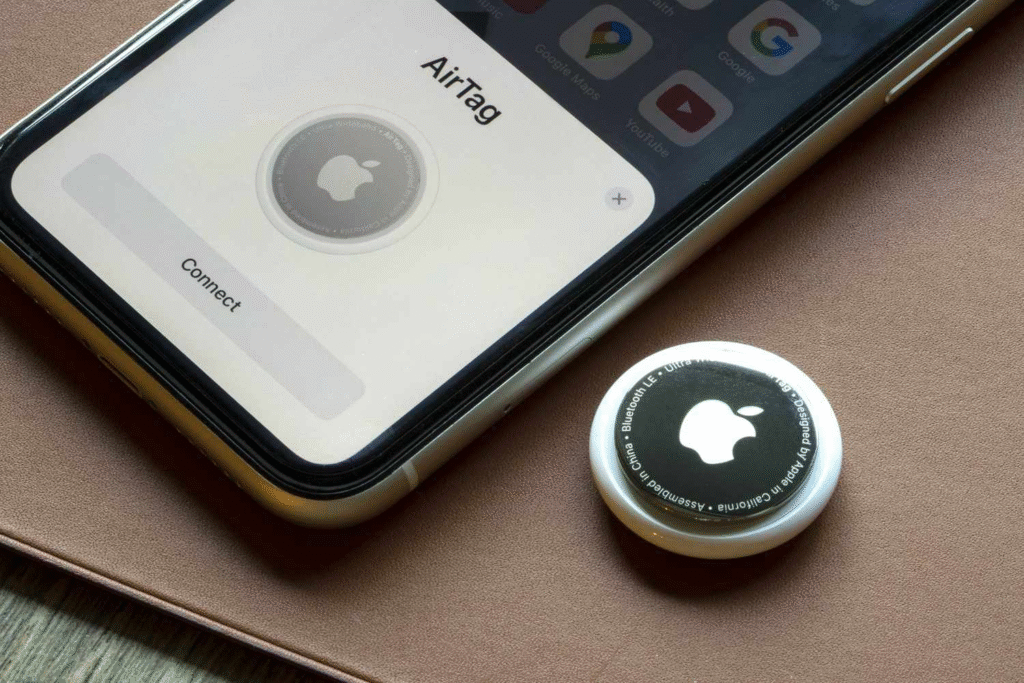
The hype surrounding AirTags is not unjustified. It’s their everyday usefulness and Apple’s commitment to detail that’s made them extremely popular. AirTags are remarkably easy to use, so they’re good for tech enthusiasts as well as those who simply want something that is uncomplicated but works.
And their simple, clean design fits easily with anything—be it on your suitcase, pet tag, keys, or even sticking one in your vehicle. They are popular not only for helping you locate misplaced items, but for that feeling of being in control in a world that seems so out of control.
Unpacking an AirTag box is like opening a little package of future technology. As you open the box, you will usually find an AirTag neatly packaged in plastic, a small guide, and nothing else. That’s correct—no clutter unnecessarily. It’s a minimalistic design that is indicative of Apple’s emphasis on simplicity. When I picked up the AirTag, I was amazed by how light and small it was.
It’s small enough to hold in your hand and yet filled with some of the most sophisticated tracking technology available. There’s a pleasing click when you take off the plastic seal, and the battery springs to life—your AirTag is ready for setup.

I’ve never been a fan of Apple’s oft-maligned design sense, but AirTags are an exception. They’re round, smooth, and made of polished stainless steel on one side and white plastic on the other. Although they appear fragile, don’t be misled by the design—they’re constructed for durability. AirTags are IP67 rated, meaning they’re dustproof and water-resistant.
So, in case you drop your keys in the rain or spill water on your backpack, no need to worry. The product is also personalized with engraving options, so it becomes one of a kind. It’s the ideal mix of form and function.
My favorite practical feature is the battery. AirTags employ a standard CR2032 coin cell battery that, under normal use, lasts around a year. And the surprise? You don’t need to be a tech genius to replace it—just press and turn the stainless-steel back to open it up and swap in a new battery. It’s low maintenance, dependable, and cheap. Add that with a history of hardware longevity on Apple’s part, and you have yourself a minuscule workhorse that operates at the office every day of the week.
Setting up an AirTag is too simple. As soon as I plugged the tag close to my iPhone, the screen notified me with a question of whether I would need to pair it. It was as if I were pairing AirPods. After you click “Connect,” you’re walked through a series of easy steps: giving your AirTag a name (I named the first one “Keys”), and associating it with your Apple ID. You’ll then immediately see it show up under the “Items” category in the Find My app, ready to assist you in tracking whatever it’s stuck to. It’s simple, seamless, and done in under a minute.
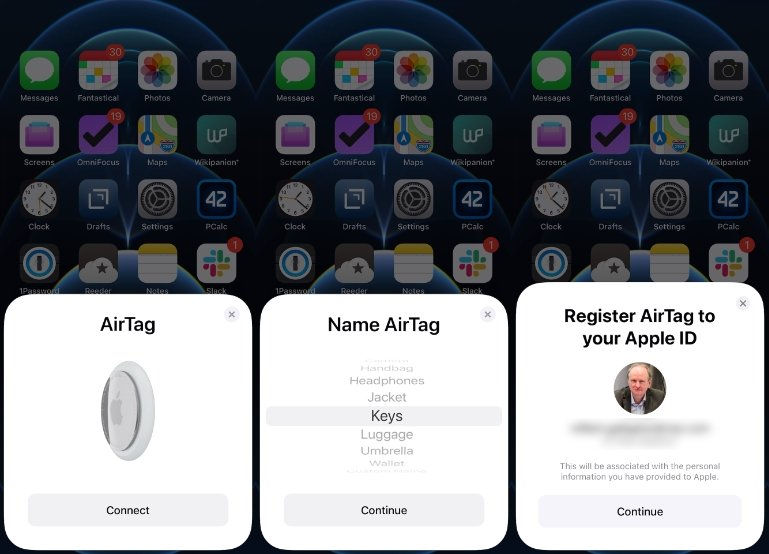
My favorite aspect of the setup process is naming. You have a choice between Apple’s preselected item names, such as “Backpack,” “Bike,” “Umbrella,” etc., or you can name it something personal like “Boss Bag” or “Sassy Suitcase.” It becomes easier to organize and locate your tagged items, especially if you have multiple AirTags.
You can even label emojis onto your items, which brings a sense of fun and personality to the mix. Let me tell you, after one too many overwrought panic attacks over the missing wallet, seeing that beaming wallet emoji appear on your screen can feel reassuring in a weird way.
The best part about AirTags is their everyday utility. Each time I lose something, I simply launch the Find My app, click on the “Items” tab, and voilà—there’s the precise location of the item on a map. If it’s close by, I can cause it to emit a sound. If it’s way out, I’m able to view the last known location and see where it’s been moving. It’s like I have a digital breadcrumb trail for anything that I own. And thanks to the widespread network of iPhones, it works even in the most unexpected places. It’s an effortless way to keep track of your life without relying on memory alone.
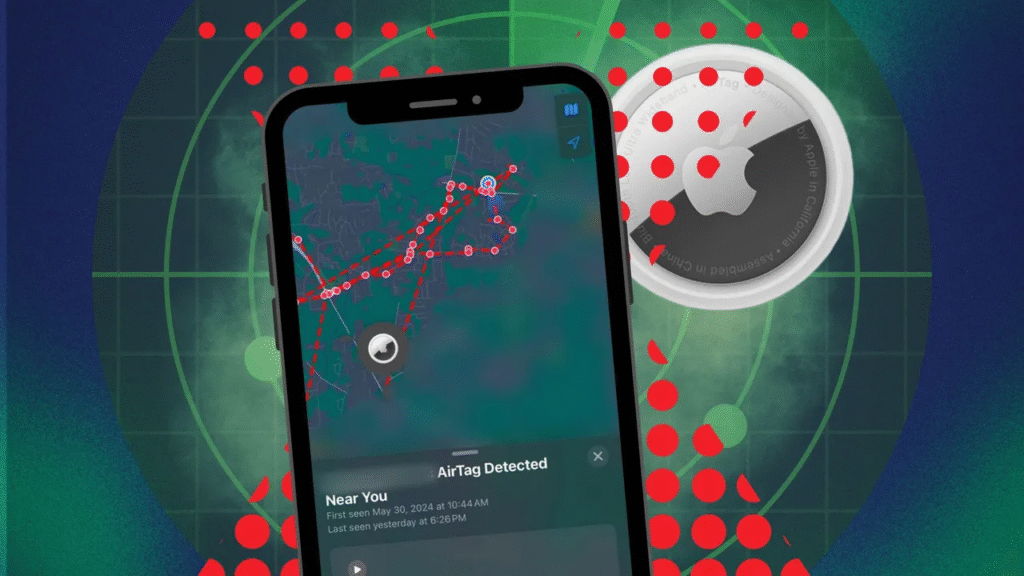
The Find My app is your AirTag’s control center. The “Items” tab displays all the objects you’ve tagged, along with their current status—whether they’re nearby, last seen yesterday, or currently being tracked. You can even see the battery level of every AirTag. It’s really useful if you’re juggling several AirTags. Want to find your AirTag on a crowded sidewalk?
Press the tag and let your iPhone lead you through a series of arrows, distance markers, and haptic cues until you pick it up. It’s truly amazing how much capability Apple has managed to put in one display.
With the U1 chip-enabled iPhones, such as iPhone 11 and later, you’re able to use Precision Finding, where ultra-wideband technology guides you in the precise direction of your AirTag. I’ve used it to locate my keys that had fallen behind a couch pillow. When I approached, my phone buzzed and made a sound from the tag. It was magical that moment—techno treasure hunt, but with real-world advantages.
When something vanishes into thin air, panic typically sets in well ahead of logic. Rather than turning the house over, I merely access the Find My app and have the AirTag guide me. First, I click on the missing item under the Items tab and toggle the switch to Lost Mode. The AirTag instantly enters silent, always‑on scan mode, emitting an encrypted Bluetooth signal that any Apple device in range can read.
When a stranger’s iPhone picks up that signal, I get a secure, anonymous notification that indicates the item’s current location on my map, with a fighting chance at recovering what’s mine. I can even add a phone number or email so whoever discovers the item can contact me with a single tap—no awkward conversations required.
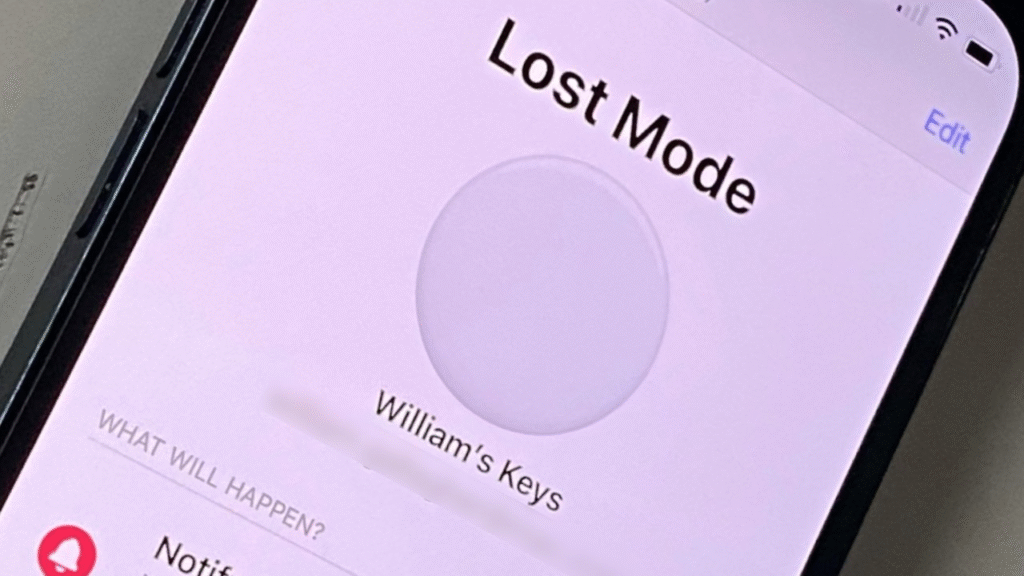
Better yet, the network works worldwide, so if my suitcase wanders off on vacation, I’m still in the tracking loop. It’s the sort of digital safety net that helps me keep track of my peace of mind as much as my physical belongings.
Lost Mode is even more straightforward than it sounds. The moment I turn it on, the AirTag becomes locked to my Apple ID so someone can’t pair it with their own, and it provides useful notifications the moment a ping lands. I adore not having to babysit the app; the push alert appears automatically, displaying a new location, even if that’s down five streets or halfway through town.
If the AirTag comes into range of my own device, it chirps loudly, guiding me like a homing beacon until I’m within arm’s reach. Knowing that a lost backpack can quietly call out to the entire Apple network feels like a personal army of Good Samaritans all working on my behalf.
Geofence alerts are also a lifesaver. I can designate a virtual fence around, for instance, my office building. If my laptop bag, complete with AirTag, drifts across that border without me, I get an immediate reminder it slipped out. On the flip side, I prefer to set arrival reminders so I’m aware the moment my partner’s keys return home. These constant reminders transform forgetfulness into a coordinated habit, and sure enough, what should be in the house is.
Precision Finding is turning phone‑based searching into a near sci‑fi exercise. Employing the iPhone’s U1 ultra‑wideband chip, the arrow on‑screen indicates precisely where to go, and the distance ticker downcounts in centimeters. The haptic buzz becomes more and more intense as I approach, stimulating all the senses until I’m practically touching the misplaced keys.
The setting doesn’t matter—busy airport, dark restaurant, or noisy playground—the directional overlay cuts through disorder, so finding something lost is a matter of tracking digital breadcrumbs that are only visible to me. Since it’s so specifically accurate, I spend no minutes wondering whether to go left or right under the couch cushion. And since the AirTag speaker beeps simultaneously, I get a handy audio cue too, which is great if the item is buried under laundry.
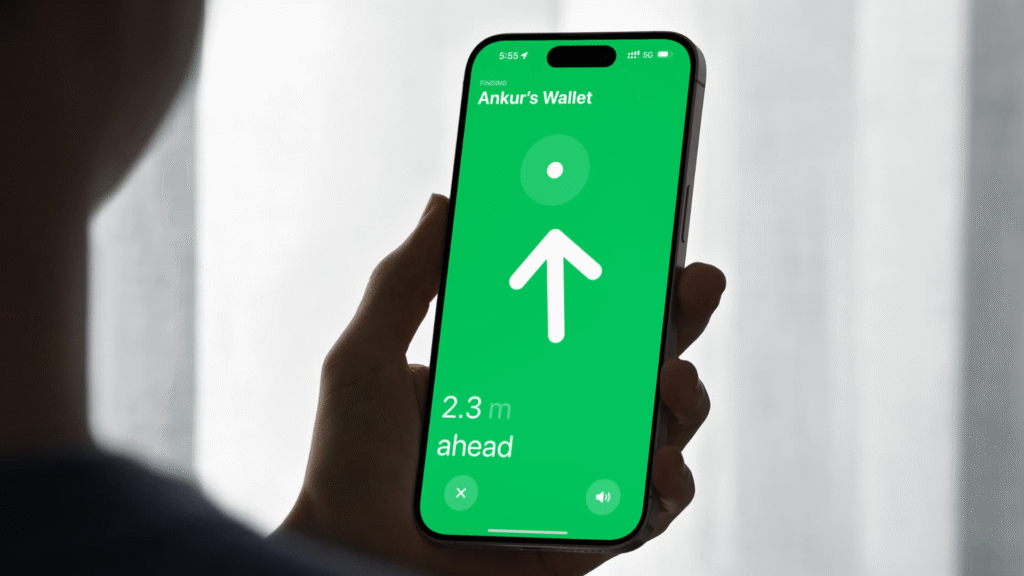
Apple uses data from the accelerometer, gyroscope, ARKit, and camera to construct a spatial map that leads you in real-time. Each step is end-to-end encrypted; no one but me can see my AirTag’s location history of the things that belong to me. I’m essentially walking through a high-tech version of “hot or cold,” but the hints are based on real-world measurements, not childish suppositions.
To use Precision Finding, you’ll require an iPhone 11 or later with iOS 14.5 or later. I used it on my iPhone 15, and the experience was as smooth as butter. Older phones will continue to find AirTags via Bluetooth, but without that sweet arrow overlay. If you’re investing in a small number of AirTags, pairing them with at least one U1-enabled device is well worth it for relentless precision.
After mastering the fundamentals, I began experimenting with some power‑user hacks. First, I built geofence circles around my go‑to spots—gym, coffee, parents’ house—so I’d receive a nudge if a tagged item wanders. Second, I shared some AirTags with family members through the Find My app. Now my partner can spot our car keys on her iPhone without pinging me for status, which makes our morning routine seamless.
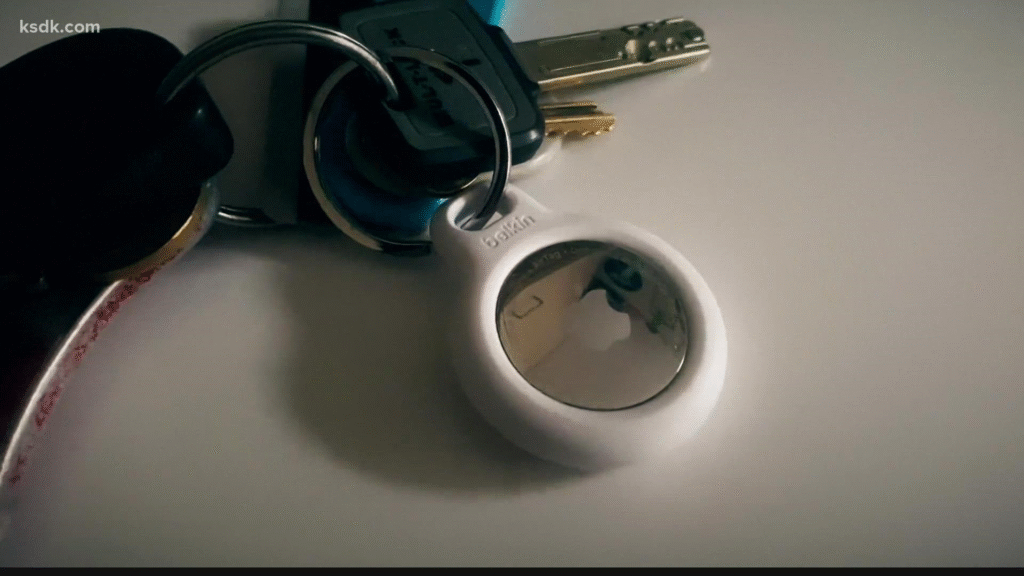
I also linked an AirTag within my camera bag and marked it as sensitive gear; any unusual movement sends a notification, behaving like a featherweight anti‑theft alarm. And since AirTags are IP67 rated, I even zip‑tied one to the frame of my bike inside the water‑bottle compartment—completely concealed but always checking in. All of which occurs quietly in the background, so I can get on with life while my iPhone gets on with the hard work of monitoring each treasured possession I have.
Within the AirTag card, a Notify When Left Behind toggle allows me to choose safe areas. I turn off the home to prevent unnecessary alarms, but turn on all else. The system is intelligent enough to know when I’m intentionally lending my keys to someone versus when I’ve left them at a café unknowingly.
Family Sharing allows for up to five more individuals. Each invited user can view the AirTag in their own Items list, but can’t delete it from my Apple ID. That maintains ownership distinctions while still providing beneficial visibility. It also ensures family vacations are less complicated; everyone can assist in keeping track of shared luggage without bickering over who lost what.
Apple built AirTags with privacy as the central consideration, and that matters. Each location ping is also encrypted so Apple and any random stranger can’t read it. Unexpected AirTag alerts also occur if someone else’s tag is with you for a long time, limiting the possibility of unwanted tracking.
If someone slips an AirTag into your bag, your iPhone will notify you, and the tag itself will chirp loudly after a random interval, revealing its presence. I’ve tested this by lending a friend my jacket with an AirTag hidden inside—sure enough, his phone flagged an “Unknown AirTag Moving With You” alert within hours. That transparency makes me comfortable gifting AirTags to family without fearing misuse.
Apple continually cycles the Bluetooth identifiers so nobody can create a profile of where you are going. Lost‑mode messages go via Apple’s relay servers, hiding your identity from the Good Samaritan scanning the tag. If privacy issues stop you, these integrated precautions should reassure you.
You can adjust how often you get separation alerts, mute audible chirps when battery falls to 10 percent, or schedule time-based exceptions (such as ignoring alerts during business hours). That adaptability makes the AirTag follow your rhythm instead of commanding it.
Even after you’ve learned the fundamentals, new situations continue to arise. May I place an AirTag on my dog’s collar? Yes, provided you use it with a safe silicone holder so Rover can’t chew it off. How reliable is the location when indoors? Bluetooth range is around 30 feet, but walls and interference can reduce that; Precision Finding gets around most obstacles indoors. Is it wet enough for a swim? Technically no—IP67 is splash‑proof, not dive‑proof—so fish the tag out of the water before your stuff takes a plunge into the pool.
Finally, can Android users help me locate my AirTag? Absolutely. If they find a tag in Lost Mode, tapping it with any NFC‑enabled phone opens a web link revealing my contact info so they can return the item. That means the entire smartphone world becomes a support network, not just Apple fans.
Can I Use AirTags for Pets or Kids?
AirTags were created for items, but many parents affix them to backpacks or tuck them into coat pockets for added security. Just keep in mind that they are not real‑time GPS devices, so a stray pet running quickly can get beyond the update window.
How Accurate Is the Location Tracking?
Outside, I’ve experienced precision within a few feet. Inside relies on Bluetooth traffic, but Precision Finding fills in the gaps the closer I approach. Magic lies in how smoothly the system transitions between crowd-sourced locations and hyper-local direction.
Months of existence with a few AirTags have led me to never return to the pre-tag madness. Having every essential item—keys, wallet, pack, even my bike—findable with ease has cleared mental overhead. Rather than repeatedly inquiring, “Where did that thing go missing to? ” I simply look at my phone, click the AirTag card, and track the arrow. The seamless integration is so elegant that other trackers become clumsy in comparison.
For me, mastering how to use AirTags has become a morning routine of smooth organization, assisting me in monitoring life’s essentials without those moments of outright terror.
AirTags make industrial-grade tracking accessible to common users who merely wish to safeguard what matters most. From instinctive setup to precise Precision Finding and strict privacy measures, every feature has one mission: ensuring the things that are yours remain at your fingertips. Throw in a year‑long battery life, replaceable cell, and a worldwide volunteer army of Apple devices, and you get a tracker that’s tough to top.
Whether you’re famous for losing keys or simply desire added reassurance while on the go, learning these seven potent steps will revolutionize the way you keep tabs on every valuable possession in your life.
Do AirTags function without an iPhone?
AirTags need an Apple ID to set up, but after they go into Lost Mode, any NFC‑capable phone—Android included—can scan and reunite you with your item.
Can I turn off AirTag sounds?
You can’t disable lost‑mode chirps completely (they discourage sneaky misuse), but you can silence regular alert sounds by switching off Play Sound through the Find My app.
What if my tagged item is stolen and the battery is pulled?
The last known location before the battery was yanked still appears on your map, providing you with a lead to report to authorities.
Is there a fee for using AirTags every month?
No subscription is required; the entire Find My ecosystem is free to owners of AirTags.
How many AirTags can I add to an Apple ID?
You can pair a maximum of 16 AirTags on each Apple ID, sufficient to tag almost every item you have.

Share your details, and we will get back to you shortly!
This will close in 0 seconds
Share your details, and we will get back to you shortly!
This will close in 0 seconds